

MLS Photos vs. Instagram Crops: How to Prepare Your Listing Images
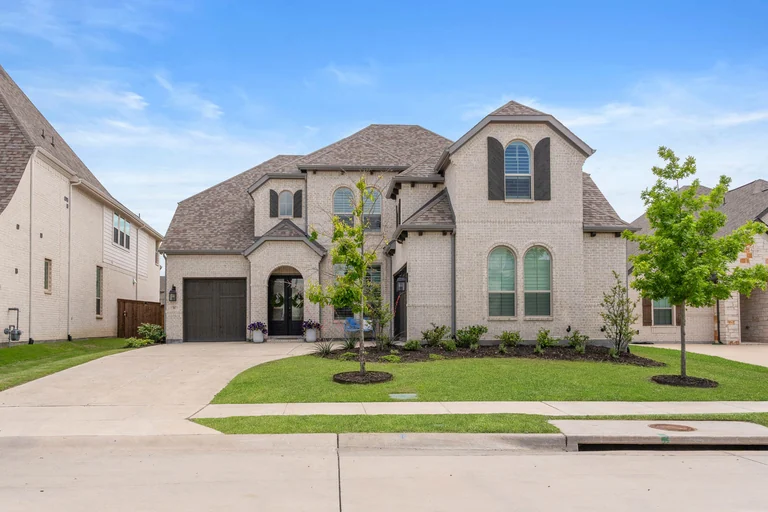
Your listing photographs need to do different jobs. The MLS set should explain the property clearly. A social post may introduce one feature, and a vertical Story may point viewers toward the complete listing. Keep the delivered photos as your source and make separate versions for those uses.
The practical problem is rarely “Which filter should I add?” It is choosing the right file, keeping the important parts of the room visible, and checking the version buyers will actually see.
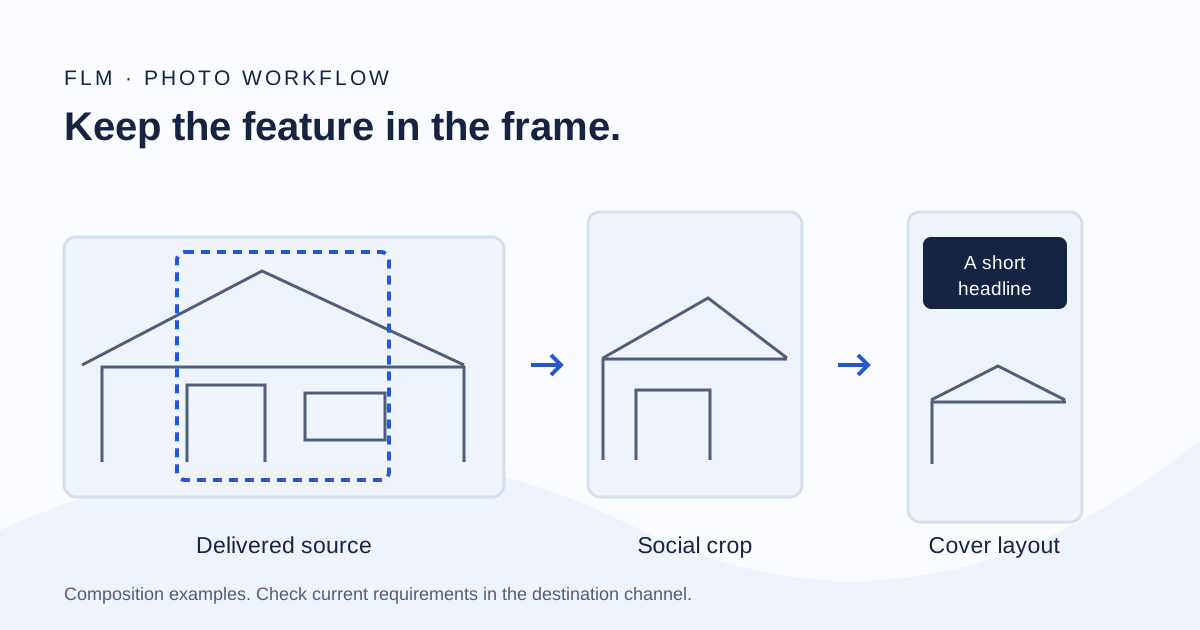
Keep one untouched delivery folder
Download the files from your media delivery and keep the original set together. Create separate working folders for MLS, social posts, and Stories or covers. Give exported copies clear names so a branded social graphic does not accidentally replace a listing photo.
Use delivered files rather than screenshots of the gallery or images saved from a previous social post. If the gallery offers download-size options, choose the version intended for the channel. Ask your media provider when an option is unclear.
FLM’s listing photography includes MLS-ready delivery. A social crop or designed carousel is a separate use of those files; do not assume custom social designs are included in a photography-only booking.
Prepare the MLS set around the property
Review the entry, main living spaces, kitchen, bedrooms, bathrooms, and relevant exteriors as a connected set. Remove near-duplicates when they do not add information, and make sure an important space has not disappeared during selection.
Check your MLS and brokerage requirements for allowed content, branding, file types, dimensions, and any altered-image disclosure. Rules and upload controls can change; a generic social-media size guide is not an MLS specification. North Texas agents can start with NTREIS rules and resources and the support available through their account.
Keep designed posts, contact graphics, and Reel covers in the social folder unless your specific listing rules allow that use. Preview the completed listing rather than assuming a successful upload means the photo order and framing are correct.
Choose a social crop by what must remain visible
Start with the subject: a kitchen island, a fireplace, an outdoor living area, or the relationship between two spaces. Then test the crop. If it cuts a key feature in half or hides the room connection you wanted to explain, choose a different image or a wider composition.
A portrait crop uses more vertical space, but it removes information from the sides of a landscape photograph. For a wide room, keeping the entire image inside a designed canvas can be more useful than forcing it to fill every edge. Empty space can hold a short headline without obscuring the property.
Do not stretch a photograph to fit a taller canvas. Keep its proportions. A crop can emphasize part of a room; it should not misrepresent how that room is arranged.
Build a carousel around one clear question
A carousel can answer “How does this home live?” rather than repeat the same wide image with different captions. For example, introduce the property, show the main living connection, explain an outdoor feature, and end with a practical next step.
Choose a consistent canvas for that carousel and review every frame at phone size. Keep labels brief. Check that text remains readable, that the property is still visible, and that the first frame makes sense without reading the rest.
Verify any measurements, property claims, and neighborhood information before designing them into the image. Use the listing-to-content workflow guide if you also need a publishing sequence.
Check Stories and covers separately
A vertical Story or Reel cover has a different composition from an MLS photograph. Pick an image with a clear subject and space for a short label. Keep key text away from edges where app controls or previews may cover it.
Preview in the destination app before publishing. Check the full-screen view and the smaller profile or feed preview when available. Exact platform requirements change, so this guide does not treat one pixel size as a permanent rule for every placement.
A still image used as a cover also needs to match the video or post it introduces. A pool cover should not lead to an unrelated kitchen clip simply because it is a stronger photograph.
Make a final file and permissions check
- Open the exported file and check the actual image, not only the thumbnail.
- Confirm that the crop preserves the feature and the photo is not stretched.
- Verify text, property facts, brokerage requirements, and the closing action.
- Keep your MLS version separate from branded social versions.
- Confirm the applicable media license and payment status before publishing.
FLM’s current terms govern use of its media, including license activation after full cleared payment. If another party needs the files for a separate use, ask before transferring them.
For a new listing, compare photography and packages and reserve the shoot. If you need help turning delivered media into a recurring plan, review FLM content support and agree on the required scope.